ZPayNG
 Business
 I Videos Play Videos
 Instant Go
 Appvertor

- Login
- Register
- Night mode
Get ChatOn Global Messenger

This site wants to open in the ChatOn Global app
Choose Open app to continue in the Android app.

from

Choose Open app to continue in the Android app.
maisondemonacofr.store





One Clean Dashboard. All Your Financial Needs. 💙
Manage your NGN & USD balances from one powerful dashboard.
With ZPayNG, you can: 💳 Create and manage USD & NGN virtual cards
💸 Send and receive money securely
🌍 Move money with confidence around the world
📱 Pay bills, buy airtime & data instantly
🎁 Earn rewards and much more
Simple. Secure. Built for everyone.
Join ZPayNG today:
🌐 zpayng.com
🏢 business.zpayng.com
Note: ZPayNG is a financial technology platform and not a bank. Banking, payment processing, card issuing, and other regulated financial services are provided by our licensed financial institution partners in their respective jurisdictions.
#zpayng #fintech #digitalpayment #payments #virtualcards #usd #ngn #crossborderpayments #moneytransfer #morethanjustpayments


tangma2088 official Whatsapp: +8613859845573 | 2026 Party Wear Wholesale: Dresses, Shoes, Bags from Top Drop Shipping Supplier.
#partywear #dresses #shoes #handbags #wholesale #chinasupplier #2026fashion #dropshipping #eveningwear #statementaccessories #watches #belts #glasses #hotsale #festivefashion #bulkdiscount #glamstyle #supplierdirect #eventfashion #trendyparty
https://sites.google.com/view/tangma2088-vip
https://www.linkedin.com/in/tangma2088
https://tangma2088.blogspot.com
https://www.tangma2088official.com
https://www.tangma2088.de/shop
https://www.tangma2088.fr
https://www.tangma2088.eu
https://www.qiqiygvip.com
https://www.qiqiygstore.com

Discover how Polyphen Sandwich Panel solutions can support modern cleanroom and industrial facility projects with practical construction, organized interiors, and efficient installation.
#polyphensandwichpanel #cleanroomconstruction #purificationsolutions #industrialfacilities #modularconstruction #cleanroomdesign

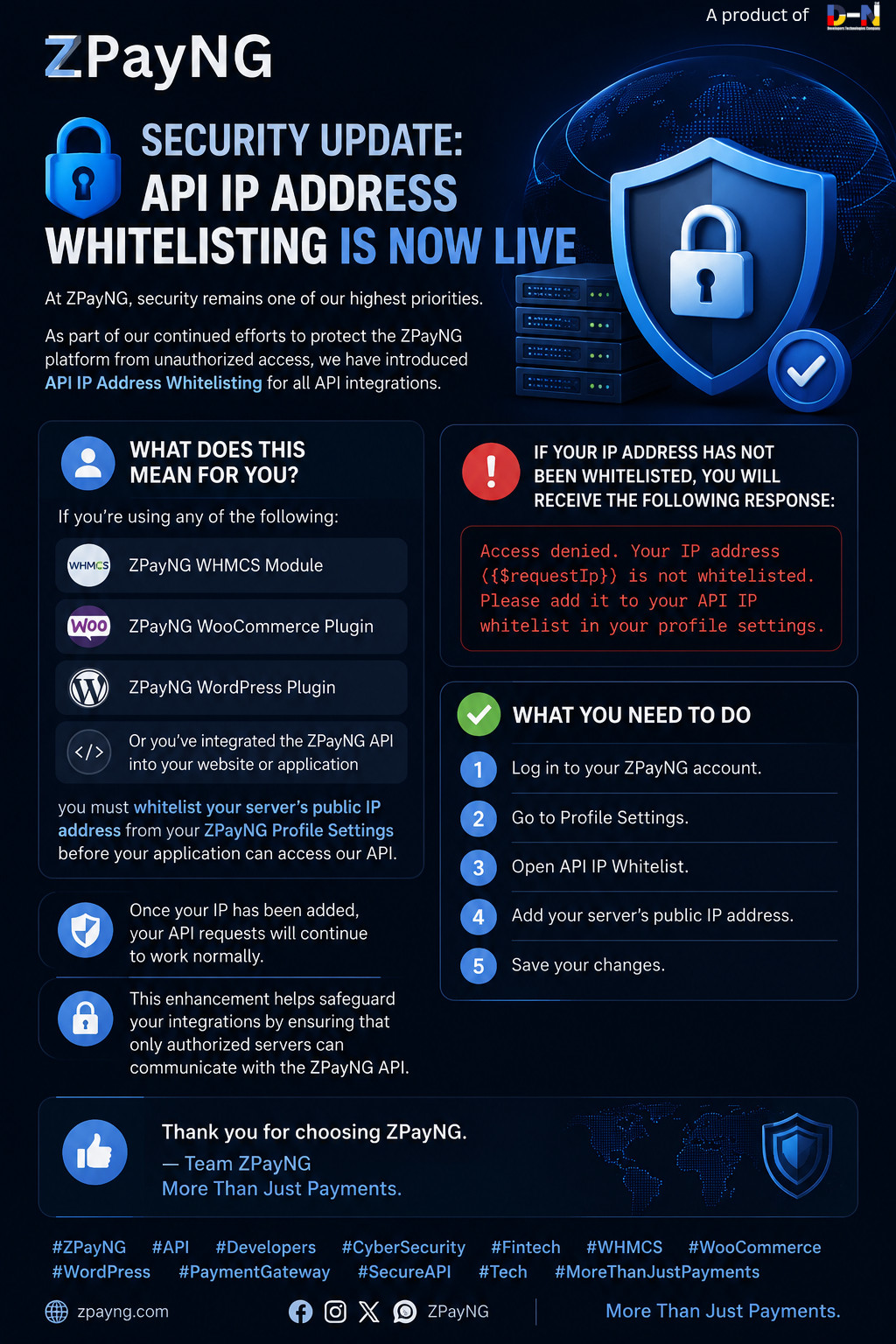
🔐 Security Update: API IP Address Whitelisting is Now Live
At ZPayNG, security remains one of our highest priorities.
As part of our continued efforts to protect the ZPayNG platform from unauthorized access, we have introduced API IP Address Whitelisting for all API integrations.
What does this mean for you?
If you're using any of the following:
• ZPayNG WHMCS Module
• ZPayNG WooCommerce Plugin
• ZPayNG WordPress Plugin
Or you've integrated the ZPayNG API into your website or application
you must whitelist your server's public IP address from your ZPayNG Profile Settings before your application can access our API.
If your IP address has not been whitelisted, you will receive the following response:
> Access denied. Your IP address ({$requestIp}) is not whitelisted. Please add it to your API IP whitelist in your profile settings.
✅ What you need to do
1. Log in to your ZPayNG account.
2. Go to Profile Settings.
3. Open API IP Whitelist.
4. Add your server's public IP address.
5. Save your changes.
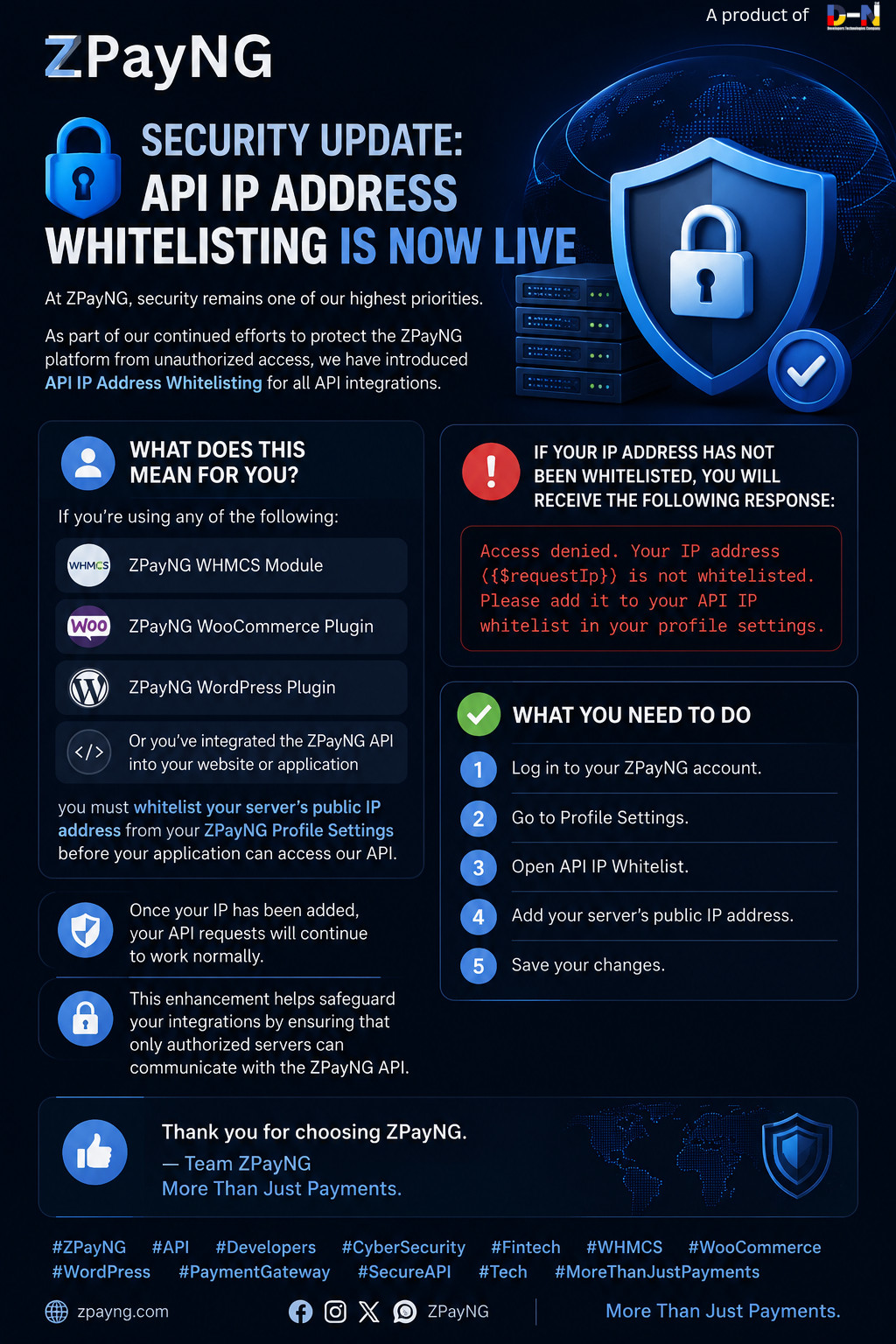
🔐 Security Update: API IP Address Whitelisting is Now Live
At ZPayNG, security remains one of our highest priorities.
As part of our continued efforts to protect the ZPayNG platform from unauthorized access, we have introduced API IP Address Whitelisting for all API integrations.
What does this mean for you?
If you're using any of the following:
• ZPayNG WHMCS Module
• ZPayNG WooCommerce Plugin
• ZPayNG WordPress Plugin
Or you've integrated the ZPayNG API into your website or application
you must whitelist your server's public IP address from your ZPayNG Profile Settings before your application can access our API.
If your IP address has not been whitelisted, you will receive the following response:
> Access denied. Your IP address ({$requestIp}) is not whitelisted. Please add it to your API IP whitelist in your profile settings.
✅ What you need to do
1. Log in to your ZPayNG account.
2. Go to Profile Settings.
3. Open API IP Whitelist.
4. Add your server's public IP address.
5. Save your changes.